

Quick answer: generated itinerary or genuine reservation?
A free dummy ticket generator may produce a mock itinerary, image or PDF containing a route, dates and passenger details. Unless it creates a booking through an airline or travel agency reservation system, it does not create an actual flight reservation.
A genuine temporary airline reservation is different because it should be linked to an underlying booking record. That record may contain a passenger name, itinerary, flight segments and a PNR or booking reference. However, it is not necessarily a paid or issued ticket. It can also expire, be cancelled or change under the provider's booking conditions.
This distinction matters when preparing a visa application, showing proof of onward travel or responding to an airline check. The appearance of a document is less important than whether the information can be verified and whether it meets the exact requirement of the authority reviewing it.
What a free dummy ticket generator actually produces
A generator can be useful for visualising a possible route or preparing a personal planning document. It may let you enter a name, origin, destination and travel dates, then create a document that resembles an itinerary.
But a generated document does not normally create a record in an airline's or travel agency's reservation system. It may contain a flight number that is unavailable, a made-up booking reference or details that no provider can retrieve. A PDF alone therefore cannot demonstrate that a seat has been held.
Do not alter airline logos, invent ticket numbers or present a mock document as an official booking. A clearly labelled personal planning document is not the same as a document submitted to suggest that a genuine reservation exists. Fabricated or misleading information can create problems with an embassy, airline or border authority.
What a real temporary airline reservation contains
A temporary reservation is a genuine booking record that has not necessarily become a paid, issued ticket. Depending on the provider and booking conditions, it may be a hold, an agency booking or another short-term arrangement connected to a real itinerary.
It commonly includes:
- The passenger name and travel segments.
- Departure and arrival airports, dates and flight details.
- A booking reference or PNR.
- The issuing airline, travel agency or reservation provider.
- A status or time limit determined by the booking conditions.
There is no universal validity period. A reservation may expire automatically, be cancelled by the issuer or disappear when a hold ends. Check the terms for the specific booking rather than relying on a general claim that every reservation lasts for a particular number of hours or days.

PNR, booking reference and e-ticket number explained
A PNR or booking reference identifies a booking record. Airlines and agencies use different names and formats, although some commonly use a short alphanumeric code. The code may help retrieve an itinerary through a manage-booking tool, but retrieval options depend on the airline, issuer, codeshare arrangement and booking channel.
An e-ticket number generally identifies an electronic ticket document issued for travel. It is separate from the PNR. Airline guidance from carriers such as Emirates, Delta Air Lines and American Airlines distinguishes a booking or confirmation code from a longer ticket number.
A PNR is therefore not proof that you have paid for a ticket, that an e-ticket has been issued or that you can board. A reservation can exist without being a ticket, and a ticket can later be affected by cancellation, rebooking or other conditions.
Free generator vs. real reservation: side-by-side comparison
| Point of comparison | Free generated itinerary | Genuine temporary reservation |
|---|---|---|
| Underlying record | May be only a visual document with no booking record. | Should correspond to a record held by an airline, agency or reservation system. |
| Verification | A PDF or image cannot prove that a booking exists. | May be retrievable using the provider's booking reference and passenger details. |
| Payment and issuance | Does not represent payment or ticket issuance. | May be unticketed. A separate e-ticket number normally relates to an issued ticket. |
| Validity | Can remain visible even though no booking exists. | Can expire, be cancelled or change under the booking conditions. |
| Visa use | May not satisfy a request for a genuine itinerary or confirmed booking. | May support document preparation when the relevant authority accepts this type of evidence. |
| Onward travel | Does not prove that a journey is booked or that you can leave. | May help show a booked journey, but some rules require a ticket or proof of funds. |
| Main risk | Inaccurate or misleading information may be treated as fabricated evidence. | The record may become invalid before the appointment, check-in or border check. |
| Flexibility | Easy to edit, but editing does not make it genuine. | May avoid an immediate non-refundable purchase, subject to the provider's conditions. |
When a reservation may help with a visa itinerary
Some visa applications ask for travel arrangements or an itinerary. The exact evidence varies by visa category, nationality, embassy or consulate and destination. An itinerary can show intended dates and routing, but it does not independently establish that an applicant meets the visa requirements.
The U.S. Department of State says applicants should not make final travel plans or buy non-refundable tickets before a visa is issued because issuance is not guaranteed. Its DS-160 guidance also refers to a travel itinerary when an applicant has already made travel arrangements. These points do not create a worldwide rule that every applicant must submit a paid ticket or a PNR.
Check the official website of the embassy or consulate handling your application. Follow its current instructions rather than relying on a generator's claim that a particular format is always accepted. A reservation should support accurate document preparation, not replace evidence about your purpose of travel, finances, eligibility or ties.
Proof of onward travel and airline checks
Proof of onward travel can mean different things in different situations. An authority may ask for a return ticket, a booked or confirmed onward journey, an itinerary, an issued ticket or evidence that you have enough money to buy one.
For example, Immigration New Zealand states that visitors generally need a ticket to leave New Zealand or proof of sufficient funds to buy one, subject to the applicable visa conditions. Its transit guidance also refers to travel arrangements and tickets showing onward travel to a country the traveller has the right to enter. These are destination-specific examples, not universal requirements.
UK Visas and Immigration says some transit applicants may be asked to prove that the onward journey is booked or confirmed. Examples can include a booking email, ticket, boarding pass or travel-agent confirmation. A generated document that only resembles one of these items may not satisfy the requirement.
How to verify whether a reservation is real
- Identify the issuer. Find out whether the booking was made by an airline, travel agency or another reservation provider.
- Use the issuer's official tool. Try the provider's manage-booking or trip-retrieval page with the correct reference and passenger details.
- Check the core details. Confirm that the passenger name matches the passport, and compare the airports, dates, flight numbers and route with your application.
- Check the booking status. A reference that appears in a system does not automatically prove payment, ticket issuance or future validity.
- Consider codeshares and agencies. An agency booking or codeshare may not appear in the operating airline's system. Ask the issuing provider which system should be used for verification.
- Recheck at the relevant time. Verify the record close to a visa appointment or airport check-in because temporary bookings can expire or change.
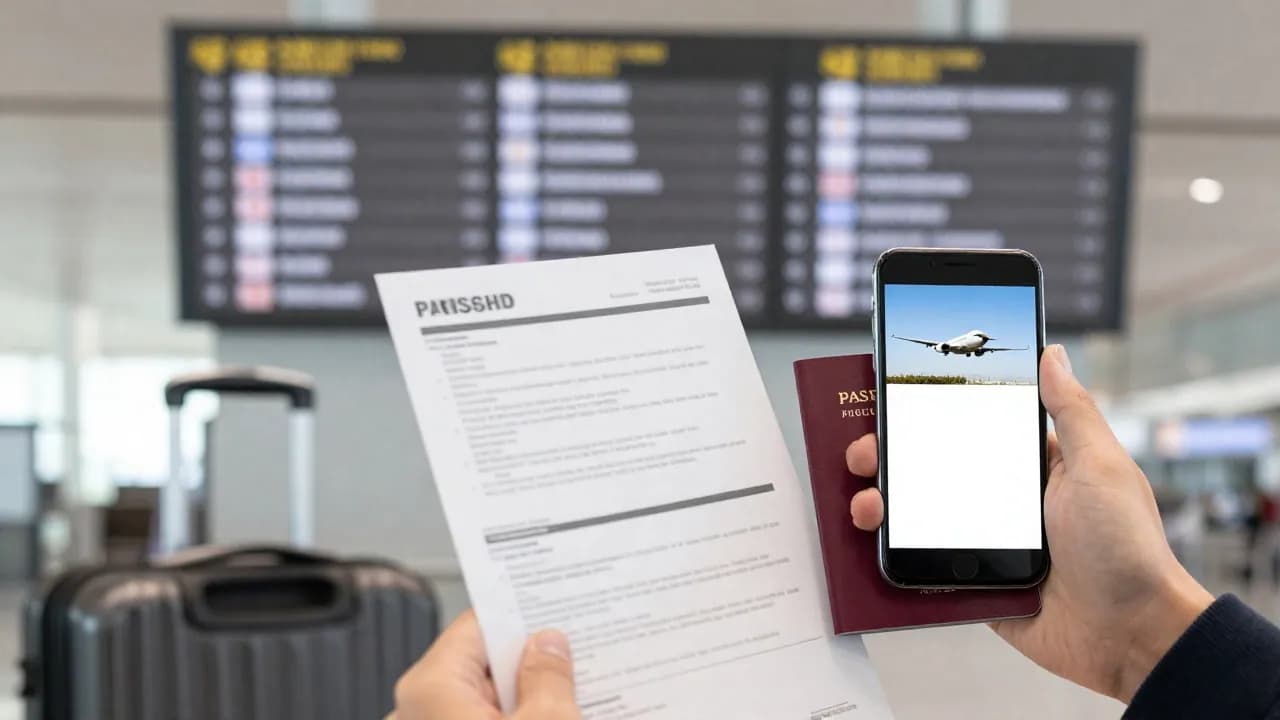
If the issuer cannot locate the booking, ask for clarification before submitting it. Do not rely on a document merely because it has an airline-style layout or a reference that looks plausible.
Why a reservation never guarantees approval, boarding or entry
A reservation is one piece of travel evidence. Visa officers assess the full application, airlines apply their own document and boarding checks, and border authorities make decisions under the rules in force at arrival. A booking cannot guarantee a visa, boarding, admission or permission to remain.
Airlines and immigration authorities may also check whether you can enter the destination shown on your onward itinerary. A route that looks complete on paper may not satisfy a transit or entry rule if you lack the required visa or permission for the final destination.
Common risks and mistakes
- Calling a generated PDF a reservation when no live booking record exists.
- Treating a PNR as proof of payment or an issued e-ticket.
- Using an expired or cancelled reservation at an interview or airport.
- Submitting passenger details that do not match the passport or application.
- Assuming every booking can be found on the operating airline's website.
- Applying one country's onward-travel guidance to another destination.
- Using altered documents, false booking references or invented ticket numbers.
- Assuming a reservation improves approval odds or guarantees a result.
Practical checklist before submitting or travelling
- Read the current instructions from the relevant embassy, immigration authority and airline.
- Confirm whether the requirement is an itinerary, a confirmed booking, an issued ticket or proof of funds.
- Verify that the reservation exists with the issuing provider.
- Match the passenger name and itinerary to the passport and application.
- Check the reservation status and conditions on the date it will be reviewed.
- Confirm that you are permitted to enter the onward or final destination.
- Keep evidence of funds and other supporting documents where required.
- Recheck rules and booking details immediately before travel.
For more background, read what proof of onward travel means or compare a flight reservation with a flight ticket. If you need a genuine temporary booking, see how to get a flight reservation without buying a ticket.
Key takeaways
A free generator may create a neat-looking planning document, but it does not normally create an airline booking. A real temporary reservation should be connected to a verifiable record, while a PNR identifies that record rather than proving payment or ticket issuance.
Use only accurate, current documents and follow the exact instructions of the relevant authority. Whether a reservation is useful depends on the destination, visa category, nationality, carrier and timing. No reservation guarantees visa approval, boarding or entry.
Questions and answers
Can I use a free dummy ticket generator for a visa application?
A generator may create a visual itinerary, but it usually does not create a live booking record. Whether an itinerary or reservation is accepted depends on the embassy, visa category and destination. Check official instructions and never present a mock or fabricated document as a genuine booking.
Does a generated PDF create a booking in an airline system?
Normally, no. A PDF or image can show travel details without creating a record in an airline or agency reservation system. Verify any genuine booking through the issuing provider's official retrieval method.
Is a PNR the same as an e-ticket number?
No. A PNR or booking reference identifies a booking record. An e-ticket number generally relates to an issued electronic ticket. A PNR does not by itself prove payment or ticket issuance.
How long does a temporary reservation last?
There is no universal duration. It depends on the issuer, booking conditions and whether the reservation is a hold or another type of booking. Confirm the status for the exact date when it will be reviewed or used.
Can an expired reservation be used for proof of onward travel?
An expired or cancelled reservation may not meet a requirement for a booked or confirmed journey. Check the current official rule and obtain valid evidence that matches what the authority or airline requests.
What should I do if an agency booking cannot be found on the airline website?
Ask the issuing agency which system should verify the booking and whether the reference is an agency or codeshare reference. Request confirmation from the issuer, and do not assume that an unsearchable document is valid.



Comments
0 commentsBe the first to share your thoughts.